
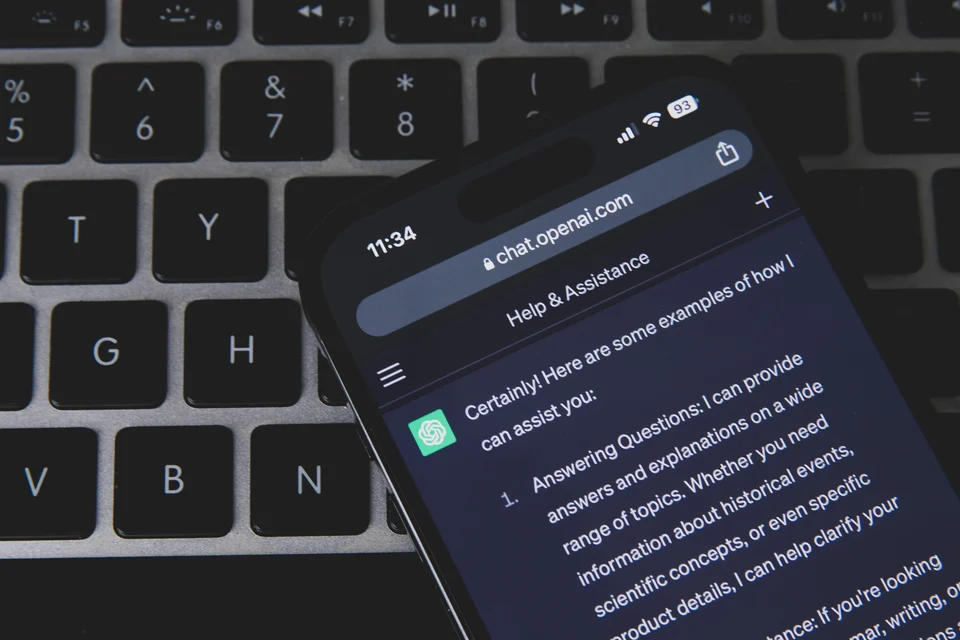
A customer emails to complain about a late delivery. To save time, someone on your team pastes the whole thread, with the customer's name, address and order history, into a free chatbot on their own phone and asks for a polite reply. The reply is good. Nobody told them not to do it, and nobody knows it happened.
That is the gap an AI policy for a small business closes. It does not need to be long. A useful AI acceptable use policy fits on one or two pages and answers six questions for staff: which AI tools are approved, what information may go into them, when a person must check the output, which uses are off limits or need sign-off, how a new tool gets approved, and who to tell when something goes wrong. This guide explains what to put in each part, which UK rules it has to fit, and what a sensible policy costs to run. It is general information, not legal advice.
Why small businesses need an AI policy now
AI use is no longer limited to large firms. In the ONS Business Insights and Conditions Survey published on 8 October 2026, 30% of UK businesses said they used at least one type of AI technology in September 2026, up from 9% when the question was introduced in September 2023. Among businesses with fewer than 10 employees, the figure was 29%.
Use often runs ahead of rules. In the Pax8 SMB AI Pulse report for Q3 2026, 24% of AI-engaged UK businesses said they had discovered "shadow AI" in the past six months, meaning AI tools, workflows or agents running without official approval. Another 13% in the UK were not sure whether they had any. Across the four countries surveyed, 40% of businesses had a documented employee AI policy and 35% had informal guidelines. Treat these as indicators, not precise measures: Pax8 runs an AI and cloud marketplace that connects IT service providers and technology companies selling to small businesses, and the UK sample was 350 firms with 5 to 499 employees.
The law does not demand a document with "AI policy" on the cover. The Information Commissioner's Office (ICO) says in its session on putting an AI policy in place that data protection law "does not require them", but that an AI policy can help you demonstrate compliance, spot risks for a data protection impact assessment and reduce some security risks.
Ban, allow or approve: choose your starting position
The first decision shapes everything else. A total ban looks safe, but the ICO's Stephen Almond warned in a post published by the ICO on LinkedIn in March 2025 that a blanket ban on generative AI "is unlikely to be effective in isolation" and "risks driving staff to use it under the radar". His suggested starting point is to work out which AI tools employees may need and how to provide them in a way that meets data protection obligations. Where the risks outweigh the benefits, he recommends backing up restrictions with training and deterrents rather than a ban on its own.
For most small businesses, that points to a middle route: approve a short list of tools for named tasks, block or discourage the rest, and give staff a quick way to ask for something new. A stricter position makes sense if your team routinely handles health data, client money, legal matters or other sensitive information, or if a client contract already limits where their data can go. Check those contracts before you write anything.
What to include in an AI acceptable use policy
A good model is the ICO's own internal AI use policy (version 1.3), written for a regulator but built from parts any business can scale down. The table below maps the sections a small business needs.
| Section | What it says | Why it matters |
|---|---|---|
| Scope and definitions | Who the policy covers (staff, contractors, temps) and what counts as AI, including AI features built into software you already pay for. | The ICO's policy applies to AI "embedded in software-as-a-service platforms", not just chatbots. Many tools now add AI features, sometimes switched on by default. |
| Approved tools | A named list of tools and accounts, which tasks each is approved for, and a rule that work happens only in business accounts. | The ICO tells its own staff to use only AI it has approved. A list is easier to follow than a principle. |
| Data rules | What must never go into an AI tool, what may go in only with approval, and what is fine. | A common and serious risk is confidential or personal data typed into a tool the business does not control (both the NCSC and the ICO flag it). |
| Human review | Who checks AI output before it reaches a customer, a file or a decision. | AI can produce plausible but wrong content. |
| Off-limits and sign-off uses | Uses that are banned or need a named approver, such as decisions about people. | These carry legal duties under data protection and equality law. |
| New tools and builds | How someone asks for a new tool, a paid plan, an automation or an AI agent, and who decides. | Pax8 notes that an employee-use policy does not cover the agents and workflows a business builds itself. |
| Incidents | What to report, to whom, and how fast. | A mistake reported in an hour is easier to contain than one found a month later, and a reportable personal data breach has to be reported to the ICO within 72 hours of becoming aware of it. |
| Ownership and review | A named owner, a version number and a review date. | Tools and rules change. The ICO dates and versions its own policy and sets a review date. |
Data rules: the section that does most of the work
In a 2023 blog post, the National Cyber Security Centre (NCSC) recommended not including sensitive information in queries to public large language models, and not submitting queries "that would lead to issues were they made public". It pointed out that queries are visible to the provider and that stored queries could be hacked, leaked or accidentally made public. The ICO's slides add that information given to chatbots "can be accessed and used by the organisation who has developed it".
So the data section should be concrete. Name the categories your business actually holds: customer contact details, payroll, health information, client files, prices and contracts that are not public, passwords and access keys. For each category, say whether it is never allowed, allowed only in an approved business tool, or allowed. A list of examples is easier for staff to follow than the phrase "sensitive data".
Human review and accuracy
The ICO's slides name two risks that a review rule addresses: "hallucinations", where AI generates factually incorrect content that can be "presented in a plausible way", and "automation bias", where people stop questioning a system's output. The ICO's internal policy requires that AI outputs are reviewed by a person unless an approval body agrees otherwise, for example where the impact is low. A small business can copy that logic: anything that goes to a customer, into a contract, onto your website or into a decision about a person is checked by a named role first.
Uses that are off limits or need sign-off
The ICO's internal policy is a useful checklist here. It says advice normally given by licensed professionals, such as accountants or lawyers, should come from those professionals and not from AI, though AI can assist them if the work is validated. It limits solely automated decisions to cases with no legal or similarly significant effect on a person. That is stricter than the law now requires (see the automated decisions point below), but it is a sensible default for a small business. It also asks staff to check AI-generated content for third-party intellectual property before publishing, and to label content that is substantially or wholly AI-generated, such as an image or video of a person.
The UK rules your policy has to fit
An AI policy sits on top of existing law. It cannot replace it. The main points for a small UK business are:
- UK GDPR applies to personal data in AI tools. If staff put personal data into an AI tool, you need a lawful basis and must respect principles such as data minimisation. When an AI provider processes data for you, the ICO says the controller and processor roles "must be recorded clearly in a contract", with written processing instructions, as it set out in its questions for recruiters buying AI tools.
- Some AI uses need a data protection impact assessment (DPIA). The ICO's DPIA guidance lists innovative technology, "including AI", as requiring a DPIA when combined with other high-risk criteria, and lists decisions about access to a product, service or opportunity that rely to any extent on automated decision-making. If in doubt, the ICO recommends doing one. The ICO notes this guidance is under review after the Data (Use and Access) Act.
- Automated decisions about people have specific safeguards. Section 80 of the Data (Use and Access) Act 2025 replaced Article 22 of the UK GDPR with new Articles 22A to 22D. Under them, a significant decision based solely on automated processing, meaning with no meaningful human involvement, needs safeguards that let the person get information about the decision, make representations, obtain human intervention and contest it. Stricter limits apply where special category data, such as health data, is involved. These provisions came into force on 5 February 2026, under SI 2026/82; the ICO's commencement statement confirms most remaining data protection provisions started that day.
- Hiring with AI touches equality law. In England, Scotland and Wales that is the Equality Act 2010; Northern Ireland has its own equality legislation. The government's Responsible AI in recruitment guide says it is "essential" that a procured system complies with the Equality Act 2010, and reminds employers of the legal duty under section 20 to make reasonable adjustments for disabled applicants. The ICO's recruitment audits found some tools let recruiters filter out candidates by protected characteristics.
- Checking staff AI use is worker monitoring. If your policy says you will log or review staff AI activity, the ICO's guidance on monitoring workers applies. The ICO says that guidance is also under review after the Data (Use and Access) Act.
If your business serves EU customers or works in a regulated sector, other rules may apply too. That is a question for your adviser or sector body.
Shadow AI: what to do when you find it
You will probably find AI tools already in use when you start. Treat that as useful information, not misconduct. Staff usually pick up a tool because it solves a real problem, and the ICO's warning about bans driving use "under the radar" applies here too.
A fair approach has three parts. Ask everyone, without blame, which AI tools and features they use and for what. Decide for each one whether to approve it with conditions, move the work to an approved business account, or stop it. Then record the result in your list of approved tools, which the ICO's internal policy calls an "AI inventory". The decision depends on what data the tool touched, whether the account is personal or business, and whether you can switch off settings that let the provider use your data. If personal data went somewhere it should not have, take advice on whether it counts as a personal data breach. If it is one that must be reported, the ICO's breach guidance says to report it within 72 hours of becoming aware of it, where feasible.
A worked example (hypothetical)
This example is invented to show the decisions and costs. The figures are assumptions, not quotes or benchmarks.
The business: a 12-person lettings agency in England. A staff survey finds three people using free chatbots on personal accounts to draft tenant emails, one negotiator using an AI meeting-notes app on viewings, and the bookkeeper testing an AI feature in the accounting software.
The decisions:
- Tenant emails move to one approved business AI tool. Tenants' names, addresses, bank details and anything about health or disability stay out unless the owner approves a specific use.
- The meeting-notes app is stopped on viewings, where tenants and landlords have not been told they are being recorded, until the agency decides whether a DPIA is needed and how people will be informed.
- The accounting AI feature is approved for categorising transactions, with the bookkeeper checking every entry before month-end.
- Screening tenants with AI is listed as a sign-off use: no tool may reject an applicant without a person reviewing the decision.
Assumed first-year cost:
| Item | Assumption | Cost |
|---|---|---|
| Business AI licences | 12 users at an assumed £20 per user per month (excluding VAT) | £2,880 a year |
| Writing the policy | 8 hours of the owner's time at an assumed £30 per hour | £240 one-off |
| Staff briefing | 12 people for 30 minutes (6 hours) at £30 per hour | £180 one-off |
| Quarterly reviews | 4 reviews of 1 hour at £30 per hour | £120 a year |
| Total | £3,420 in year one |
Two costs are missing from the table on purpose because they vary too much to estimate: legal advice on a DPIA, and the time spent checking AI output. The second is not trivial. In the Pax8 survey, 44% of UK respondents said they spent three or more hours a week reviewing, editing or fact-checking AI-generated work. The same survey found 39% of UK businesses that paid for AI had at least one bill or usage charge higher than expected, which is why the policy should also say who can sign up for paid AI plans.
What good looks like six months later
You can judge whether the policy works without an audit. Signs that it does:
- Anyone on the team can name the approved tools and say what they may not put into them.
- The list of approved tools matches what people actually use, including AI features in existing software.
- Customer and staff personal data are no longer handled in personal AI accounts.
- Staff ask before trying a new tool, and get an answer within days rather than weeks.
- Problems are reported and logged, even small ones, and the policy has been reviewed on its due date.
If staff still use unapproved tools in secret, the policy is probably too strict or the approved tools are not good enough for the job. Fix the cause rather than adding more rules.
Where to start
Begin with the questions that need a decision from you, not a template: which tools you will pay for, which data never leaves your systems, which decisions always need a person, and who owns the policy. A short policy that matches how your team really works will do more than a long one copied from elsewhere.
If you want help turning those decisions into approved tools, settings and a policy your team will actually follow, Evoogen can review how your team uses AI today and set it up with you. See how Evoogen works with small businesses.
Sources & further reading
- Office for National Statistics: Business insights and impact on the UK economy, 8 October 2026 — checked 2026-10-30
- Pax8: SMB AI Pulse Report, Q3 2026 (United States, United Kingdom, Germany, Sweden) — checked 2026-10-30
- Pax8: Pax8 research finds small businesses are building AI faster than they can govern it (press release, About Pax8) — checked 2026-10-30
- ICO (Stephen Almond): Staff use of AI: is a blanket ban ever the answer? (LinkedIn, 13 March 2025) — checked 2026-10-30
- ICO: Internal AI Use Policy (version 1.3) — checked 2026-10-30
- ICO: Putting an AI policy in place (Data Protection Practitioners' Conference session slides) — checked 2026-10-30
- National Cyber Security Centre: ChatGPT and large language models: what's the risk? (14 March 2023) — checked 2026-10-30
- ICO: Thinking of using AI to assist recruitment? Our key data protection considerations (6 November 2024) — checked 2026-10-30
- ICO: When do we need to do a DPIA? — checked 2026-10-30
- Data (Use and Access) Act 2025, section 80 (automated decision-making), legislation.gov.uk — checked 2026-10-30
- The Data (Use and Access) Act 2025 (Commencement No. 6 and Transitional and Saving Provisions) Regulations 2026 (SI 2026/82), regulation 2 — checked 2026-10-30
- ICO: Statement on the commencement of the Data (Use and Access) Act (5 February 2026) — checked 2026-10-30
- DSIT: Responsible AI in recruitment (GOV.UK guidance, 25 March 2024) — checked 2026-10-30
- ICO: Employment practices and data protection: monitoring workers — checked 2026-10-30
- ICO: Personal data breaches: a guide — checked 2026-10-30